



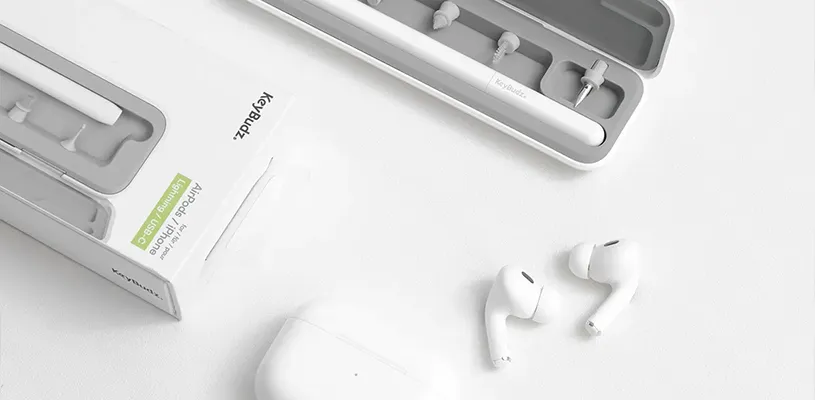
AirPods are something of an everyday item these days. They go to the gym, to work, on walks, to the sofa, and sometimes even to bed. The problem is that they also pick up earwax, dust, pocket lint, and grime faster than many people think. After a while, many notice the same thing: the sound gets muffled, one side sounds quieter, or the earbuds just feel... unclean.
The good news is that it can usually be fixed pretty easily. The right cleaning can actually make your AirPods sound almost like new again. Here, we walk through how to clean AirPods, AirPods Pro, and AirPods Max the right way — without risking damage.
The fastest way to clean AirPods
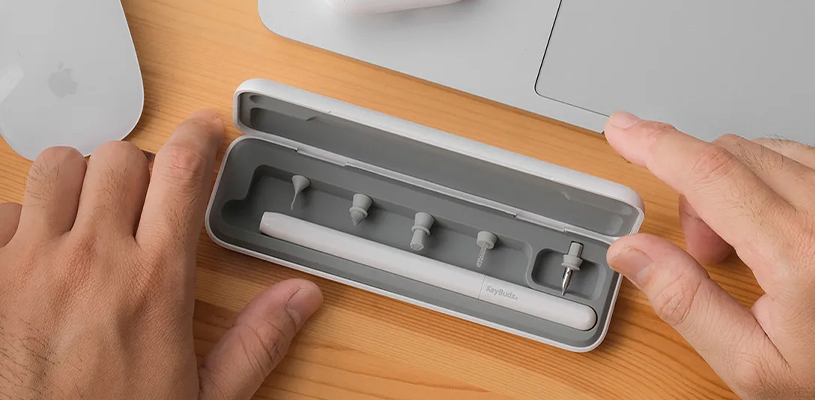
If you only want the short version: Gently brush away dirt and earwax from the speaker grilles Wipe the earbuds with a slightly damp microfiber cloth Use a cleaning putty or soft brush for details and the charging case
Avoid putting water directly into the openings, and never insert metal objects into the grilles.
Why AirPods start to sound worse over time
The most common problem is actually not broken speakers. In many cases, it is just dirt.
Earwax and dust get stuck in the speaker grilles and block the sound. This is often first noticed as lower volume or one earbud sounding quieter than the other. Many people immediately assume the battery is bad or the earbuds are broken, but often a proper cleaning is enough.
AirPods Pro in particular are sensitive because they have small mesh filters both in the earbuds themselves and in the ear tips.
What you need to clean AirPods
You actually do not need much, but the right tools make a big difference.
Good things to have:
- Microfiber cloth
- Soft precision brush
- Cleaning putty
- Cotton swabs
- Isopropyl alcohol (70% or higher)
- A good AirPods cleaning kit
Avoid:
- Wooden toothpicks
- Metal tools
- Paper towels
- Too much liquid
- Compressed air directly at the grilles
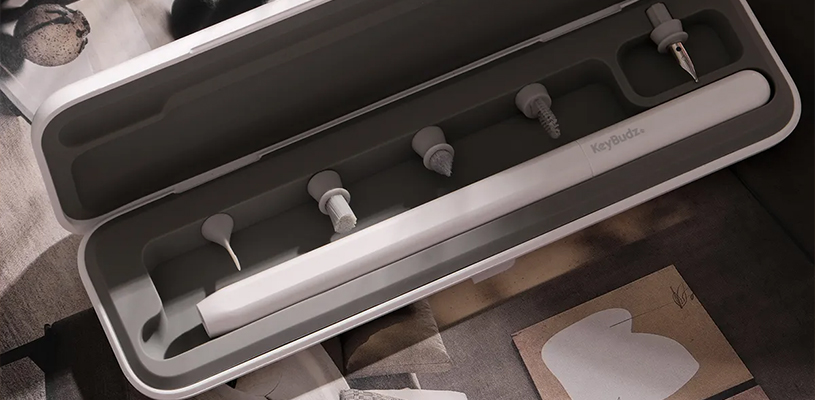
A dedicated AirPods cleaning kit is usually the most convenient option, because you get small tools made for the earbuds’ openings and grilles.
How to clean standard AirPods — Gen 1, 2, 3, and 4
Standard AirPods are fairly easy to clean, but the speaker grilles take patience. Start by wiping the whole earbud with a dry microfiber cloth. Then use a soft brush and work gently on the speaker grille in small circles. A lot of earwax usually comes loose right away. If the dirt is stubborn, you can use a little cleaning putty or a lightly damp cotton swab with isopropyl alcohol. It should be almost dry — never wet.
The charging case is often forgotten, but it collects plenty of dust and pocket lint. Use a thin brush or cleaning pen around the contacts and in the corners. For AirPods 4, it is especially important not to press hard against the grilles, since they are thinner than previous generations. The tools above are often included in modern AirPods cleaning kits such as AirCare 2.0.
How to clean AirPods Pro
Cleaning AirPods Pro requires a bit more care because the ear tips have their own mesh filters. Start by removing the silicone tips. Rinse them gently in lukewarm water without soap and let them dry completely before putting them back on.
The earbuds themselves are cleaned much like standard AirPods, but here it is especially important to be careful around the microphone openings and the vents for Transparency mode.
Cleaning the AirPods Pro speaker grilles
The speaker grille is the most common reason AirPods Pro sound worse over time. Use a soft precision brush and brush gently in several directions. A lot of people make the mistake of simply pushing the dirt further in. Instead, work lightly and methodically. Cleaning putty works very well here because it lifts dirt out instead of pushing it down.
Cleaning AirPods Pro ear tips
The ear tips collect more dirt than many people think, especially if you work out with your earbuds. If the mesh in the tips looks dark or clogged, that is often where the sound issue is coming from. Let them dry thoroughly before use — damp ear tips can affect the sound immediately.
How to clean AirPods Max
AirPods Max work a little differently because the ear cushions are removable. Take off the cushions and wipe them gently with a slightly damp microfiber cloth. Apple recommends avoiding strong cleaning agents here.
The mesh in the headband can also collect dirt and grease over time. A dry soft brush is usually enough to go a long way. Avoid getting liquid near the Lightning or USB-C port, depending on the model.
How often should you clean AirPods?
That depends entirely on how much you use them.
A good rule of thumb:
- Light use — every other week
- Daily use — once a week
- Workouts and commuting — several times a week
If you use AirPods at the gym, you should wipe them down after almost every session. It is not just about sound quality, but also about earbud hygiene.
Common mistakes that can damage AirPods
There are a few classic mistakes that come up all the time. The most common is using too much liquid. AirPods can handle a little moisture, but they are not built to be rinsed or soaked.
Another common mistake is using metal objects. Needles, paper clips, and tweezers can permanently damage the grilles. Many people also use compressed air too close to the speakers, which can sometimes push dirt further in instead of removing it.
The right cleaning makes a bigger difference than many people think
It is actually quite impressive how much difference cleaning can make. Many AirPods that feel "worn out" really just need a little maintenance.
With the right tools and a few minutes of cleaning every now and then, both the sound and the feel will last much longer. And honestly, it just feels much nicer to put clean earbuds in your ears.
FAQ
How often should you clean AirPods?
If you use them daily, once a week is a good rule. If you work out a lot, you may need to do it more often.
Can you use isopropyl alcohol on AirPods?
Yes, but very carefully. Use a small amount on a cotton swab or microfiber cloth — never directly on the earbuds.
Why is one AirPod quieter?
It is usually caused by earwax or dirt in the speaker grille. A proper cleaning often solves the problem.
Is it safe to clean AirPods with water?
Only certain parts, such as the silicone tips on AirPods Pro. The earbuds themselves should not be rinsed with water.
Which cleaning kit works best for AirPods?
Kits with soft precision brushes, cleaning putty, and a microfiber cloth work best because they are made for small openings and sensitive grilles.